Posts by user

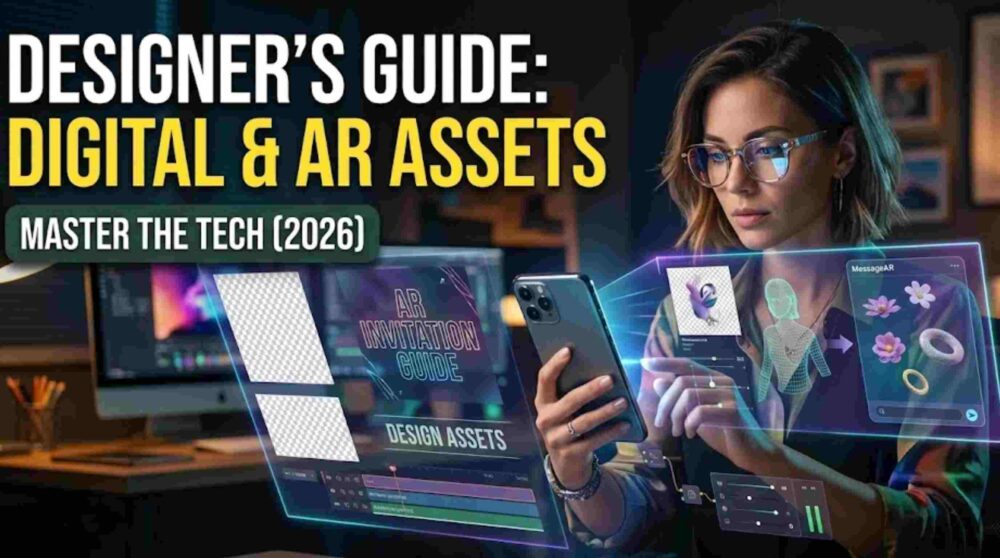
The Designer’s Guide to Digital & AR Invitation Assets (2026 Edition)

Designer’s Guide to Digital & AR Invitation Assets is a practical framework for creators who want to combine polished visual design with immersive storytelling in 2026. Today’s invitation designer is not simply exporting files. You are shaping a digital experience that must feel refined on mobile screens, work smoothly across messaging apps, and remain visually compelling inside augmented reality environments.

From resolution and compression to typography and AR-ready assets, this guide outlines the essential standards for designing premium digital invitation assets and AR invitation experiences for modern events.

1. Mastering the VIT Asset Framework

A strong digital invitation experience depends on assets that are built for the way people actually view them. In most cases, that means mobile-first layouts, vertical formats, and lightweight files that still look premium on modern displays.

The Video-Image-Text (VIT) framework remains one of the most effective ways to structure digital invitation delivery:

  • Video creates the emotional first impression
  • Image delivers the key event details in a saveable format
  • Text handles links, RSVP instructions, and practical information

When these three elements are prepared correctly, the invitation feels more intentional, more polished, and easier for guests to engage with.

Video Export Settings for Digital Invitations

To keep video invitations smooth, high-quality, and easy to share across devices:

Resolution: 1080 x 1920 is the ideal vertical format for most mobile-first invitation workflows. It delivers sharp quality without creating unnecessarily heavy files.

Codec: H.265 (HEVC) is often a strong choice when you want better compression efficiency than older formats, especially for visually rich motion assets.

Bitrate: A moderate bitrate helps balance clarity with manageable file size. Very large exports may load slowly or become inconvenient to share on messaging platforms.

Frame Rate: 24fps is a strong option for a softer, more cinematic feel. For invitation design, this often appears more elegant than a hyper-smooth high-frame-rate look.

2. Building High-Quality Static Invitation Assets

Static design still plays a critical role in digital wedding invitations, event invites, and AR-triggered invitation cards. This is usually the asset guests save, forward, screenshot, or revisit later.

Recommended Design Approach

PNG is often useful for graphics with text, decorative overlays, or sharp-edged design elements where clarity matters.

JPG can work well for photo-led invitation designs where file size needs to stay lighter.

Color Profile: For digital-first invitations, work in screen-friendly colour spaces such as sRGB, and use wider-gamut workflows only when your export pipeline supports them properly. Designing for print-first output can cause digital colours to appear flatter or less accurate on screens.

The goal is simple: the invitation should remain crisp, readable, and visually premium on the guest’s phone.

3. Designing for AR Invitation Experiences

Designing AR invitation assets requires a different mindset from standard digital media. In a typical video, the background is fixed. In augmented reality, the guest’s real-world environment becomes part of the visual experience.

That means every asset must be considered not only for beauty, but also for tracking, performance, and screen clarity.

Working with Transparency

If your AR experience includes floating text, decorative particles, animated characters, or layered motion graphics, you may need formats that support transparency.

Depending on the workflow, designers often prepare AR-ready assets using export formats and animation systems that preserve alpha channels or allow lightweight overlay behaviour across compatible environments.

For web-based or mobile AR experiences, lightweight animated assets are often easier to deploy than large transparent video files.

Trigger Image Design

The trigger image is the printed or digital visual that starts the AR experience when scanned.

To improve recognition and tracking reliability:

  • Use designs with enough contrast and visual distinction
  • Avoid extremely minimal surfaces with little detail
  • Add recognisable structure, pattern, or framing when needed
  • Be careful with reflective print finishes that may interfere with camera detection

A beautifully designed trigger image should not only look elegant, but also support stable AR activation.

4. Typography for Mobile and OLED Displays

Typography is one of the most important elements in digital invitation design. A beautiful layout can still fail if the names, schedule, or venue information are difficult to read on a phone.

Better Type Pairing for Invitation Assets

A refined approach is to use:

  • a high-contrast serif for names or headline moments
  • a clean sans-serif for timings, venue details, RSVP instructions, and supporting text

This creates a premium editorial contrast while preserving readability.

Readability Principles That Matter

Letter Spacing: Slightly increasing tracking for all-caps subheads can help create a more polished, luxury-inspired look.

Hierarchy: Names, date, venue, and action links should be visually distinct so guests can scan the content quickly.

Touch-Friendly Sizing: Any tappable buttons, call-to-action areas, or linked design elements should be large enough to interact with comfortably on mobile devices.

A strong invitation should feel elegant at first glance and effortless to use at second glance.

5. The 2026 Aesthetic Direction: Refined Motion Over Excess

The visual language of premium digital invitations is moving toward restraint. Instead of loud transitions and crowded effects, the stronger direction is subtle movement, texture, and controlled elegance.

Motion Design Trends for Premium Invitations

Slow Zoom and Gentle Movement: A subtle scale shift or restrained camera movement often feels more premium than aggressive transitions.

Texture and Grain: Light film grain or delicate texture overlays can reduce the overly synthetic feel of ultra-clean digital video and add depth.

Balanced Colour Treatment: Warm neutrals, muted romantic palettes, and natural tones often translate beautifully across modern displays without feeling overprocessed.

This approach works especially well for luxury wedding invitations, premium event invites, and modern AR invitation campaigns where the goal is sophistication rather than visual noise.

6. Delivery Strategy for Digital Invitation Assets

Even the best-designed invitation can lose impact if it is shared poorly. Compression, file handling, and delivery method all affect how premium the final experience feels.

Best Practices for Sharing

For the main detail card, many designers prefer delivery methods that preserve text sharpness and layout quality as much as possible.

For videos, it is important to keep exports efficient enough for quick loading while still maintaining visual polish.

For AR-linked invitations, always think about the guest journey from first click to final interaction. The experience should feel seamless, not technical.

A polished invitation is not only about design quality. It is also about how reliably that design reaches the guest.

7. Why Digital and AR Invitation Design Matters in 2026

Digital invitations are no longer just a convenient alternative. They have become an important part of modern event branding, guest communication, and visual storytelling. Augmented reality builds on that by turning an invitation into something more memorable, interactive, and emotionally engaging.

For designers, this creates a new standard. You are no longer producing a single static graphic. You are building a complete invitation experience across motion, layout, readability, mobile usability, and immersive interaction.

When done well, digital invitation assets and AR invitation design help transform an ordinary message into a premium event moment.

Final Thoughts

The best digital and AR invitation assets combine beauty with usability. They are visually elegant, technically prepared, mobile-friendly, and designed with the guest experience in mind.

As expectations continue to rise in 2026, designers who understand compression, typography, motion, trigger-image behaviour, and cross-platform delivery will stand out. The future of invitation design belongs to creators who can merge aesthetics with interaction and turn digital communication into something that feels unforgettable.
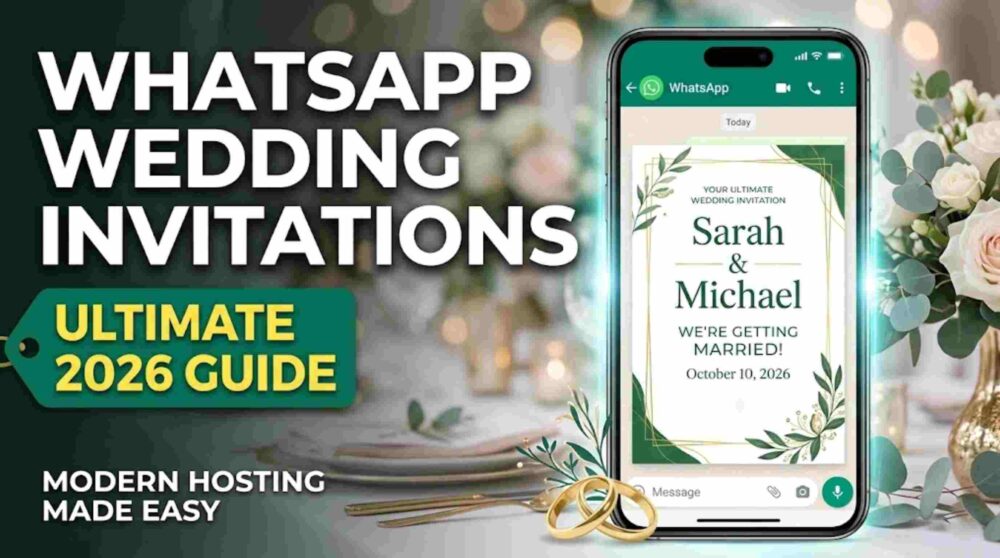
WhatsApp Wedding Invitations: The Ultimate 2026 Guide to Modern Hosting

WhatsApp Wedding Invitations have become one of the most popular ways for modern couples to share wedding details with guests. In 2026, the shift from traditional paper invites to digital-first event planning has accelerated. This medium is no longer seen only as a budget option; for many couples, it has become a practical communication hub for weddings. WhatsApp Business materials often cite very high message open rates, sometimes around 98%, which is why many hosts prefer it for fast and direct communication.

1. The 2026 Shift: Why Digital Is Becoming the New Standard

The global wedding industry has increasingly embraced a convenience-led approach to planning. Guests often prefer having wedding details readily available on their phones instead of relying only on a physical card. They want quick access to the gift registry, venue directions, RSVP links, and schedule updates in one place.

The Benefits of a Digital-First Approach

Instant RSVP Tracking: No more waiting weeks for mail-in cards. Links can take guests directly to your RSVP system for faster and more organized headcounts.

Live Updates: If a ceremony time changes or weather affects the plan, you can update a large number of guests within minutes.

Integrated Navigation: One tap on a Google Maps or Apple Maps link helps guests navigate directly to the venue.

Sustainability: Reducing paper usage supports the growing interest in more eco-conscious celebrations.

2. The Professional “Media Bundle” (VIT Framework)

To make your WhatsApp Wedding Invitations feel polished and premium, avoid sending a single low-resolution image on its own. Instead, follow the Video-Image-Text (VIT) framework to create a more immersive experience.

Phase 1: The Cinematic Hero (The Video)

Send a 15-second vertical (9:16) video first. This acts as the emotional hook. It can feature high-quality footage of the couple or the venue, with minimal and elegant typography layered over it.

Phase 2: The Detail Card (High-Res Image)

Immediately after the video, send a high-resolution JPEG. This works like a digital fridge magnet that guests can easily screenshot and save. It should contain the key details: names, date, venue, and time. To preserve better quality, consider sending the file as a document or using HD media options where supported.

Phase 3: The Action Message (Text)

The text beneath the media is where the practical details live. Keep it clear, easy to scan, and include any important interactive links.

3. Technical Mastery: Tools for 2026 Hosting

A professional invite is only as good as the technology supporting it. To maximize the effectiveness of your WhatsApp Wedding Invitations, integrate these three core features:

  1. The “Save to Calendar” Link: Use a tool like AddEvent to generate an add-to-calendar link. When guests click it, the wedding details, including the venue location, can be saved to their mobile calendar. AddEvent officially supports add-to-calendar links across major calendar platforms including Apple Calendar, Google Calendar, Outlook, Outlook.com, and Yahoo Calendar.
  2. Interactive RSVP Buttons: Don’t just ask guests to reply. Link to a dedicated wedding website, such as Zola, WithJoy, or a custom site, where they can manage RSVPs, dietary preferences, and plus-ones. Zola officially supports RSVP tracking, plus ones, meal selections, and guest messaging tools.
  3. One-Click Location Sharing: Always provide a direct Google Maps or Apple Maps link to help guests find the venue quickly and easily.

4. Professional Wording Templates

These templates are designed for high readability on mobile screens. Replace the bracketed text with your own details.

Template 1: The Modern & Energetic Vibe

Best for a vibrant, contemporary celebration.

We are so excited to share that we’re getting married! 🥂 We can’t wait to celebrate this new chapter with our favorite people.

When: October 10 | 4:30 PM
Where: The Grand Terrace, Riverside
Dress Code: Cocktail Attire

RSVP & Registry: [Link]
Map & Directions: [Google Maps Link]

Please RSVP by September 1st via the link above. We can’t wait to see you there!

Template 2: The Formal & Traditional Vibe

Best for formal circles and respectful family communication.

With the blessings of our families, we cordially invite you to the wedding ceremony of Thomas and Elizabeth. Your presence and blessings would mean the world to us as we begin our life together.

Date: June 20, 2026
Time: 5:00 PM
Venue: St. Jude’s Cathedral
Location Link: [Google Maps Link]

We look forward to celebrating this auspicious occasion with you.

Please confirm your attendance by May 1st: [Link]

Template 3: The Destination Wedding Itinerary

Best for weddings requiring travel and multi-day events.

Pack your bags! ✈️ We’re heading to the coast to say I Do.

We are so excited for a weekend of celebrations. To make your travel as smooth as possible, we’ve put together a full digital guide including hotel blocks and the weekend itinerary.

Main Event: November 15 at 4:00 PM
Venue: Oceanview Resort

Full Travel Guide & RSVP: [Link]
Booking Deadline: Please secure your stay via the link above by July 15th.

5. Global Etiquette Protocols

Sending WhatsApp Wedding Invitations comes with a few practical etiquette rules to help the experience feel thoughtful rather than intrusive.

Avoid Group Chats: Don’t add a large number of guests to one WhatsApp group for your wedding invite. It can feel overwhelming and also exposes participants’ phone numbers to one another. If you want to message many guests at once, a broadcast list is often more appropriate, though recipients generally need to have your number saved for broadcast delivery to work properly.

The Personal Touch: Start every message with a personal greeting. A simple “Hi [Name], we have some exciting news…” makes the invite feel warmer and more intentional.

The “Plus One” Clarification: Because digital invites can be forwarded easily, be very clear about who is invited. A line such as “We have reserved 2 seats in your honor” helps avoid confusion.

6. The RSVP “Nudge” Strategy

One common challenge with digital invitations is that guests may read the message and forget to respond. A simple follow-up plan can help:

The Initial Send: 8–10 weeks before the wedding.

The Two-Week Warning: Two weeks before your catering deadline, send a gentle reminder:
“Hey [Name]! We’re getting so close! Just checking in to see if you’ll be joining us as we finalize the seating chart this week. Hope to see you there! 🙏”

The Final Call: About 24 hours before the RSVP link closes, send a final reminder graphic or short message.

7. The Final Touch: Immersive Upgrades

As you finalize your WhatsApp Wedding Invitations, consider adding one more layer of guest engagement. For hosts who want to combine digital convenience with a stronger wow factor, augmented reality can create a more memorable experience.

By using tools like MessageAR, you can turn a static digital card into an interactive moment where a video message appears on the guest’s own personal space. It can be a memorable way to make the invitation feel more personal and distinctive.

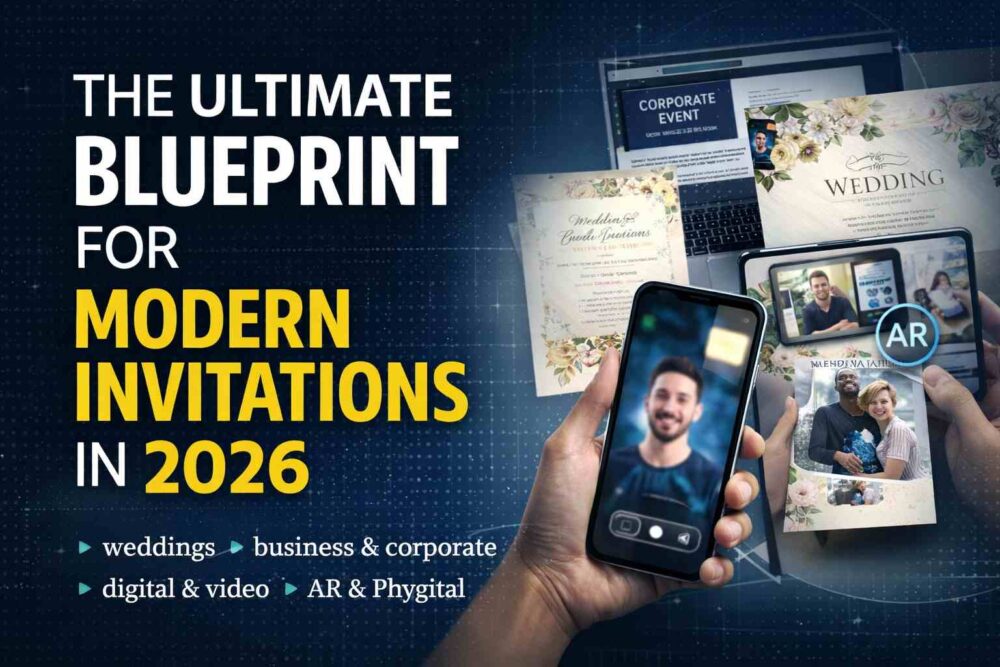
The Ultimate Blueprint for Modern Invitations: Hosting in the Digital Age (2026)

Let’s be honest — the way we invite people has changed faster in the last three years than it did in the previous thirty.

A plain text message doesn’t cut it anymore.
A mass email feels invisible.
And a generic PDF attachment? That’s basically background noise.

In 2026, your invitation isn’t just information. It’s positioning.

Whether you’re planning a wedding, a corporate summit, or your kid’s fifth birthday, the invite sets the tone. If it feels flat, people subconsciously assume the event will be too.

Your event doesn’t start on the day people walk in.
It starts the moment they open your invite.

This page is your central roadmap. Below, you’ll find every modern invitation strategy broken down by event type, format, and conversion goal.


1. Wedding Invitations: Tradition Meets Technology

Weddings remain the highest-stakes invitations you’ll ever send. Etiquette matters. Emotion matters. Presentation matters.

If you’re planning your big day, start here:

Want to understand how paper, digital, and AR can blend together?

  • 👉 [How to Make Invitations: The Ultimate Guide (Paper, Digital & AR)]

Weddings are no longer either/or. The smartest couples are combining tactile design with digital delivery.


2. Digital Invitations for Any Occasion

For birthdays, anniversaries, baby showers, housewarmings, and community gatherings — digital is now the default.

But wording makes or breaks engagement.

If you want clarity, structure, and high response rates, read:

These guides break down tone, formatting, RSVP clarity, and how to prevent the “I forgot to respond” problem.


3. Video Invitations: The 2026 Upgrade

Static invites are fine.

Video invites convert.

If you want guests to actually stop scrolling and feel something, start here:

Planning something for kids?

Video works because it’s human. It’s harder to ignore a face than a font.


4. Corporate Invitations: Strategy, Not Decoration

In business, invitations are about ROI.

You’re not asking for attendance — you’re competing for attention.

If you’re organizing conferences, webinars, product launches, or executive dinners, these are essential:

And if you’ve already sent the invite and the RSVPs are weak:

Corporate hosting is about timing, value framing, and follow-up — not just design.


5. The Future: AR & “Phygital” Invitations

The biggest shift in 2026 is the bridge between physical and digital.

Printed invites that trigger video messages.
Photo prints that launch AR experiences.
Cards that come to life when scanned.

If you want to understand how paper, digital, and AR now work together:

  • 👉 [How to Make Invitations: The Ultimate Guide (Paper, Digital & AR)]

This is where invitation strategy is heading.


Where to Start

If you’re overwhelmed, here’s the shortcut:

  • Wedding → Start with the wedding wording guides.
  • Corporate → Go straight to the corporate framework.
  • Birthday or casual event → Use the digital wording guide.
  • Want maximum impact → Add video.
  • Want to stand out → Explore AR.

Your invitation is not admin work.

It’s the first impression.
It sets expectations.
It drives attendance.

And in 2026, the hosts who win are the ones who treat invitations like strategy — not paperwork.

How to Create a Video Message That People Actually Want to Watch (The 2026 Guide)

The “Text Message” is Dead

Let’s be honest: typing “Happy Birthday! 🎂” into a WhatsApp chat takes three seconds. It also feels like it took three seconds.

In 2026, if you want to make someone feel genuinely special—or if you want to stand out to a client—you send a video. A video captures your voice, your energy, and that specific laugh that an emoji just can’t replicate.

But for most of us, the moment the camera opens, we freeze. The lighting looks weird, we forget what to say, and we end up deleting 15 takes before settling on one that is “just okay.”

It doesn’t have to be that hard.

Whether you are recording a heartfelt wedding tribute, a quick birthday shoutout, or a professional corporate update, the process is exactly the same. This guide will walk you through how to create a video message from scratch—from the script to the final edit—so you look like a pro without needing a film crew.


Phase 1: Pre-Production (Don’t Just Hit Record)

The biggest mistake people make is hitting the red button before they know what they are doing. Take two minutes to prep, and you’ll save twenty minutes of re-recording.

1. Choose Your Format

Before you start, ask: Where is this going?

  • Vertical (9:16): Best for Instagram Stories, TikTok, YouTube Shorts, or mobile-first AR greetings. This fills the phone screen and feels intimate.
  • Horizontal (16:9): Best for email, desktop viewing, or if your clip is being added to a larger “montage” video (like a wedding guestbook).
  • Square (1:1): classic for LinkedIn feeds, though vertical is taking over there too.

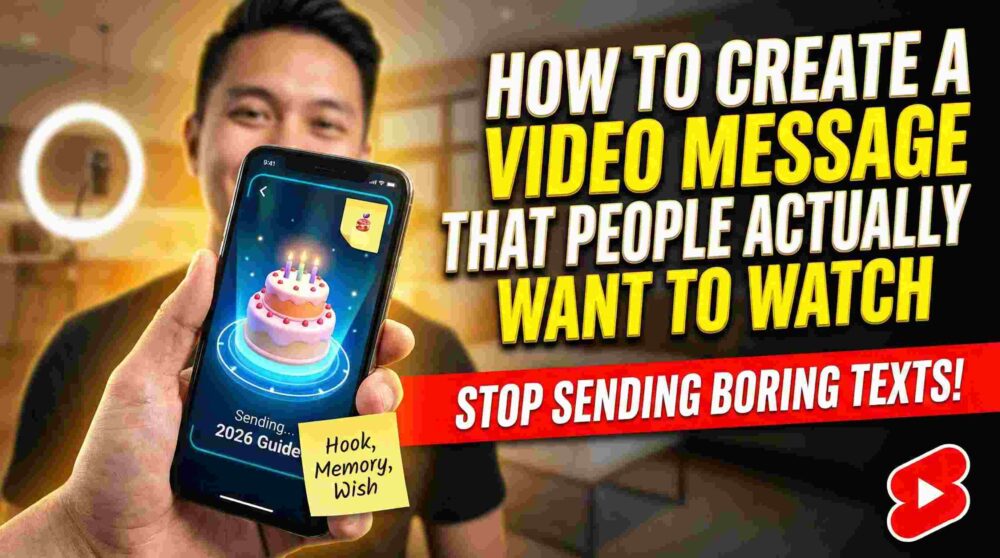
2. The “Post-It Note” Script

You don’t need a teleprompter, but you do need a plan. Stick a post-it note right next to your camera lens with three bullet points:

  1. The Hook: (e.g., “Happy Birthday, Legend!”)
  2. The Memory: (e.g., “That Goa trip…”)
  3. The Wish: (e.g., “Hope you get the promotion.”)

Pro Tip: Never write out your script word-for-word. You will end up reading it with dead eyes. Just use bullet points to keep it natural.


Phase 2: The Setup (Lighting & Audio)

You don’t need an expensive camera. A decent smartphone from the last 3-4 years is more than powerful enough. The difference between a “bad” video and a “pro” video is usually just light and sound.

Lighting: The “Window Rule”

Light is free. You just have to know where to stand.

  • The Golden Rule: The light source must be in front of you, not behind you.
  • Daytime: Stand facing a window. Put your phone between you and the glass. The soft natural light will smooth out your skin and make your eyes pop.
  • Nighttime: Do not rely on the ceiling light (it creates “raccoon eye” shadows). Place a lamp slightly above your eye level, behind your phone.

Audio: The Silent Killer

People will watch a grainy video, but they will scroll past bad audio instantly.

  • Kill the background noise: Turn off the AC, the fan, or the TV.
  • Distance matters: Hold the phone about arm’s length away. This is the sweet spot—close enough for the mic to catch the bass in your voice, but far enough to not distort.
  • Wind check: If you are outside, turn your back to the wind so your body blocks the microphone.

Phase 3: Filming Your Message

Now, the scary part. Actually talking to the lens.

Body Language Hacks

  • Eye Contact: Look at the lens, not yourself on the screen. If you look at yourself, it looks like you are avoiding eye contact with the viewer.
  • Smile Before You Start: Most people hit record with a frowning “concentration face” and then smile. Reverse it. Smile, wait a beat, then hit record.
  • The “Pause” Buffer: Leave 2 seconds of silence at the start and end of your recording. This gives you room to edit later (or gives the editor of the wedding video some breathing room).

What if I mess up?

Don’t stop recording! If you stumble over a word, just pause, take a breath, smile, and say the sentence again. You can trim the bad part out later. It’s much faster than starting a new file every time.


Phase 4: Editing (Adding the Sparkle)

You have the raw file. Now let’s make it shine. You don’t need Adobe Premiere Pro for this (unless you want to).

Best Mobile Apps for Quick Edits (2026)

  • CapCut / VN Editor: Great for quick trimming, adding captions, and background music.
  • Canva: Excellent if you want to put your video inside a nice “frame” or add a birthday card graphic next to it.
  • Native Photos App: Honestly, for a simple trim (cutting the start and end), your phone’s built-in gallery editor is sufficient.

What to Edit:

  1. Trim the “Dead Air”: Cut the part at the start where you are reaching for the button, and the part at the end where you look awkward.
  2. Add Captions: 80% of people watch videos on mute first. Auto-captions are a must.
  3. Music: Add a soft instrumental track at 10% volume. It fills the silence and adds emotion.

Phase 5: Delivery (The “Wow” Factor)

Sending a raw video file via WhatsApp is fine, but it compresses the quality and feels a bit “low effort.” Here is how to level up the delivery.

Level 1: Cloud Sharing

Upload the video to Google Drive or Photos and share the high-quality link. This ensures they see it in full HD, not the pixelated WhatsApp version.

Level 2: The Video Montage

If this is for a group (like a coworker’s farewell), use a tool like Tribute or VidDay to collect videos from everyone and stitch them together automatically.

Level 3: Augmented Reality (The 2026 Standard)

This is the game-changer. Instead of just sending a link, imagine sending a physical birthday card or a photo print. When they scan that photo with their phone, your video message plays on top of the card in the real world.

How to do it:

  1. Use a platform like MessageAR.
  2. Upload your video and a “trigger image” (like a photo of you and the birthday person).
  3. Send them the image (digitally or printed).
  4. When they scan it, the video comes to life. It’s not just a message; it’s a magic trick.

Common Questions (FAQ)

Q: How long should a video message be?

  • Short & Sweet: 30-60 seconds is ideal.
  • Deep & Meaningful: Up to 2 minutes. Anything longer, and you better be telling an incredible story.

Q: Can I use a virtual background? Avoid them if possible. Green screen effects on Zoom/Teams often look glitchy and “cheap.” A real, messy bookshelf looks more authentic than a fake beach.

Q: What if I hate the sound of my own voice? Everyone does! It’s called “voice confrontation.” Trust us, you sound normal to everyone else. Don’t let your inner critic stop you from sending a meaningful message.


Conclusion: Just Hit Record

The perfect video message isn’t the one with studio lighting or a Hollywood script. It’s the one that actually gets sent.

Your friends and family don’t want a performance; they want you. They want to see your face and hear your voice. So, find a window, take a deep breath, and hit that red button. You’ve got this.

(Ready to take your greetings to the next level? Check out our guide on [How to Turn a Physical Photo into a Video Message using AR]).

Wedding Digital Invitation Wording (2026 Guide + Ready-to-Use Templates)

Wedding digital invitation wording is the secret to turning a simple notification into an unforgettable emotional experience for your guests.

Planning your wedding is magical. Writing the invitation? Not always.

With video invites, AR wedding invitations, and WhatsApp wedding messages becoming the new normal, couples often wonder:

What exactly should we say in a wedding digital invitation?

Unlike traditional paper invites, digital wedding invitations need to be:

  • Short
  • Emotional
  • Clear
  • Mobile-friendly
  • Action-driven

This complete guide gives you ready-to-use wedding digital invitation wording templates for every style — modern, traditional, destination, religious, and cinematic.


Why Wedding Digital Invitation Wording Is Different

In a printed card, guests read slowly.

In a video invitation, you have 30–60 seconds.

Your message must:

  • Hook attention immediately
  • Deliver key details clearly
  • Guide guests to RSVP
  • Match the tone of your visuals

Strong wording transforms a simple invite into an unforgettable experience.


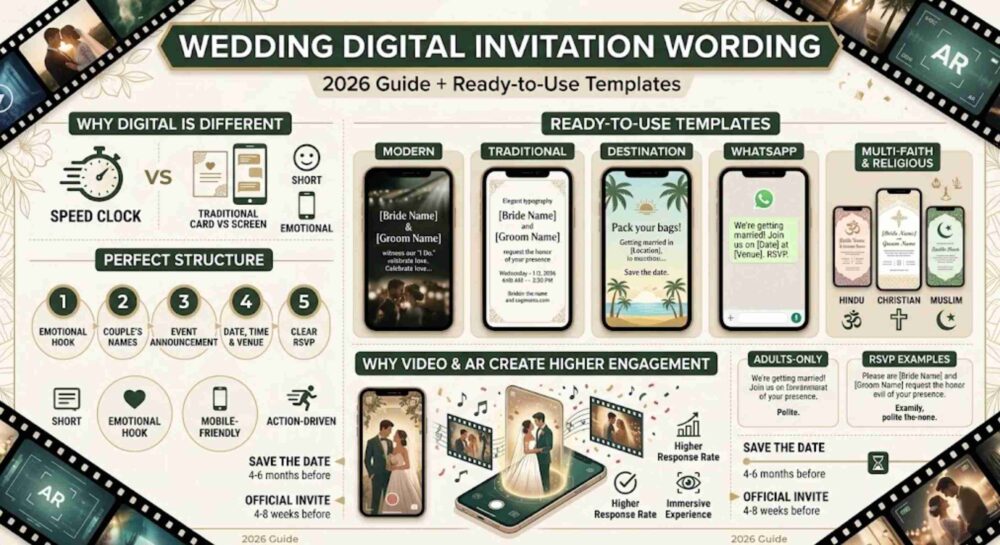
The Perfect Structure for a Wedding Digital Invitation

Every high-performing wedding video invitation follows this structure:

1. The Emotional Hook (First 5 Seconds)

Examples:

  • “Two hearts. One forever.”
  • “Our forever begins now.”
  • “A love story worth celebrating.”

2. The Couple’s Names

Clearly highlight the bride and groom.

3. The Celebration Announcement

Mention wedding ceremony, reception, or full celebration.

4. Date, Time & Venue

Always include:

  • Full date
  • Exact time
  • Location
  • Clickable map link (if digital)

5. Clear RSVP Call-to-Action

Example:
“Tap below to confirm your presence by [Date].”


Modern Wedding Digital Invitation Wording

Perfect for cinematic video invites and AR wedding invitations.

“From our first coffee to our forever promise, you’ve been part of our journey. Now we invite you to witness our ‘I Do.’
Join [Bride Name] & [Groom Name] as we celebrate love, laughter, and the beginning of our new chapter.”


Traditional Wedding Invitation Wording (Digital Format)

Ideal for families who prefer elegance and formality.

“Together with their families,
[Bride Name] and [Groom Name]
request the honor of your presence
as they exchange vows and begin their life together.”


Destination Wedding Digital Invitation Wording

“Pack your bags — we’re getting married in [Location]!
Join us for a weekend filled with sunshine, celebration, and unforgettable memories.
Save the date: [Date]. Formal invitation and travel details to follow.”


Engagement + Wedding Combined Invitation

“We said yes — now it’s time to say ‘I Do.’
Celebrate our engagement and upcoming wedding with us on [Date].
Let the countdown begin!”


WhatsApp Wedding Invitation Message (Short Version)

For quick sharing in family groups.

“We are getting married!
[Bride Name] & [Groom Name]
Invite you to join us on [Date] at [Venue].
Please confirm your presence by [RSVP Date].”


Hindu Wedding Digital Invitation Wording

“With the blessings of our parents and elders,
[Bride Name] and [Groom Name]
invite you to grace their sacred wedding ceremony
on [Date] at [Venue].
Your presence will make this auspicious occasion complete.”


Christian Wedding Invitation Wording (Digital Version)

“With joyful hearts,
[Bride Name] and [Groom Name]
invite you to celebrate their union in Christ
on [Date] at [Church Name].”


Muslim Wedding Invitation Wording

“In the name of Allah, the Most Merciful,
[Bride Name] and [Groom Name]
request the honor of your presence
at their Nikah ceremony on [Date].”


Adults-Only Wedding Wording (Polite Version)

“While we adore your little ones, this celebration will be an adults-only evening. We hope you’ll enjoy a special night out with us.”


Wedding RSVP Wording Examples

Clear and direct works best in digital formats:

  • “Kindly confirm your presence by [Date].”
  • “Tap the RSVP button below.”
  • “Let us know you’re coming — we can’t wait to celebrate together.”

Tips for Writing a Video Wedding Invitation Script

Keep it under 100 words.

Let visuals do the emotional storytelling.

Use high-contrast text overlays for mobile screens.

Avoid long paragraphs — break into short lines.

End with a strong RSVP instruction.


Why Video & AR Wedding Invitations Create Higher Engagement

A traditional card informs.

A digital invitation immerses.

With augmented reality wedding invitations, your guests don’t just read about your wedding — they experience it.

They can:

  • Watch your story unfold
  • See cinematic moments
  • Tap to RSVP instantly
  • Save directly to their calendar

Digital invites increase response rates and make your wedding unforgettable.

Don’t Just Send an Invite—Send an Experience with MessageAR

The right wording is only half the battle. In 2026, the medium is the message.

With MessageAR, your wedding digital invitation wording doesn’t just sit on a screen—it breathes. Imagine your guests tapping a link and watching your favorite engagement photo transform into a cinematic 3D video, or scanning a QR code to see a personalized AR message from the couple appearing right in their living room.

Why settle for a text when you can offer:

  • One-Tap RSVPs: Integrated directly into the AR experience.
  • Cinematic Storytelling: High-fidelity video and music that matches your tone.
  • Interactive Maps: Guests can navigate to your venue with a single click.

[ ✨ Create Your Immersive MessageAR Wedding Invitation Now ]


Frequently Asked Questions

How long should a wedding video invitation be?

30–60 seconds is ideal. Anything longer risks losing attention.

When should I send a digital wedding invitation?

Send Save the Dates 4–6 months before.
Send the official invite 4–8 weeks before the ceremony.

Is it acceptable to send wedding invitations on WhatsApp?

Yes — high-quality video or AR wedding invitations sent via WhatsApp are widely accepted today, especially when designed professionally.


Final Thoughts

Your wedding invitation sets the tone for your entire celebration.

The right wedding digital invitation wording ensures your guests feel:
Excited. Honored. Included.

Craft your message carefully — then bring it to life with an immersive video or AR experience that truly reflects your love story.

The Complete Guide to Digital Invitation Wording (2026 Edition)

Digital invitation wording must capture attention in seconds, but one challenge remains the same: What should you actually write?

The way we invite people has changed forever.

Paper invitations are no longer the default. Today, a digital invitation can be a cinematic video, a personalized augmented reality experience, or a beautifully designed mobile greeting sent instantly through WhatsApp, email, or social media.

But one challenge remains the same:

What should you actually write?

If you’re staring at a blank screen wondering how to craft the perfect message, this guide gives you ready-to-use digital invitation wording templates for weddings, birthdays, corporate events, and everything in between.


Why Digital Invitation Wording Matters More Than Ever

Unlike traditional paper invites, digital and video invitations must capture attention within seconds. Your message needs to be:

  • Clear
  • Emotional
  • Concise
  • Mobile-friendly
  • Action-driven

On a phone screen, you have only a few seconds before someone scrolls away. Strong digital invitation wording ensures your event stands out and gets real RSVPs.


The Core Anatomy of a High-Converting Digital Invitation

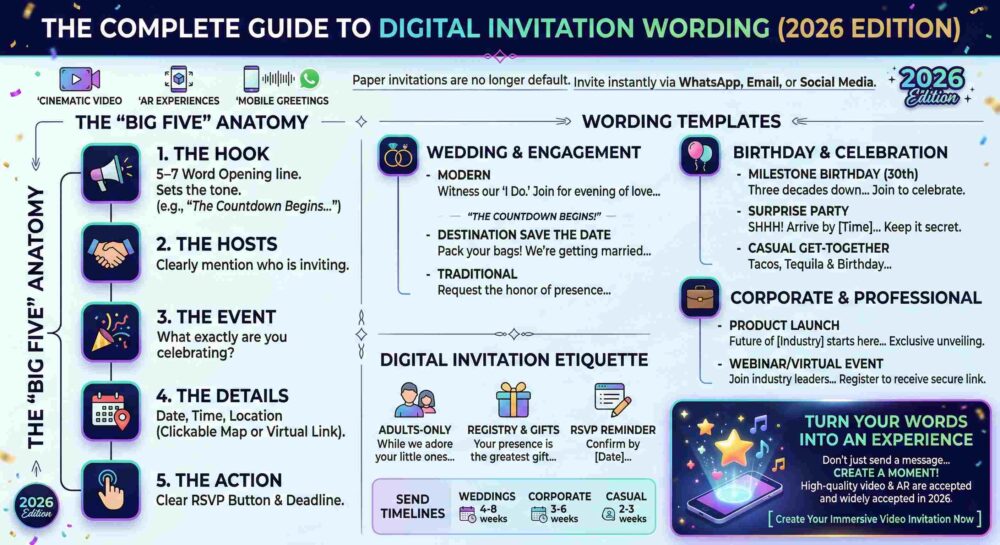
Every effective digital invitation follows the “Big Five” structure:

1. The Hook

A 5–7 word opening line that sets the tone instantly.

Examples:

  • “The countdown begins…”
  • “You’re invited to something unforgettable.”
  • “Big news. Big celebration.”

2. The Hosts

Clearly mention who is inviting.

3. The Event

What exactly are you celebrating?

4. The Details

Date, time, location (always include a clickable map or virtual link).

5. The Action

A clear RSVP button with a deadline.

If your invitation misses one of these five, expect confusion—and lower attendance.


Wedding & Engagement Digital Invitation Wording

For wedding digital invitation wording, less is more. Let your visuals, music, and story create emotion while the text delivers clarity.

Modern Digital Wedding Invitation

“From our first date to ‘Yes,’ you’ve been part of our journey. Now we invite you to witness our ‘I Do.’ Join [Name] & [Name] for an evening of love, laughter, and new beginnings.”


Destination Wedding Save the Date

“Pack your bags! We’re getting married in [Location]. Save the date for a weekend filled with celebration, sunshine, and unforgettable memories. Formal invitation to follow.”


Traditional Wedding Invitation (Hosted by Parents)

“Together with their families, [Name] and [Name] request the honor of your presence as they exchange vows and begin their life together.”


Birthday & Celebration Invitation Wording

Casual digital invitation wording should feel energetic, bold, and instantly shareable.

Milestone Birthday (30th, 40th, 50th)

“Three decades down, and the best is yet to come! Join us to celebrate [Name]’s 30th birthday. Good food. Great drinks. Questionable dance moves. RSVP before the champagne disappears.”


Surprise Party Invitation

“SHHH! It’s a surprise for [Name]! Arrive by [Time] so we can catch them off guard. Keep it secret and park down the street!”


Casual Get-Together

“Tacos, Tequila, and [Name]’s Birthday. Need we say more? Join us at [Location] on [Date] for good vibes and better company.”


Corporate & Professional Event Invitation Wording

Corporate digital invitation wording must answer one question immediately:

Why should I attend?

Product Launch Invitation

“The future of [Industry] starts here. You’re invited to the exclusive unveiling of [Product Name]. Be among the first to experience the next generation of innovation. Limited seats available—reserve yours today.”


Webinar or Virtual Event Invitation

“Join industry leaders for a deep dive into [Topic]. Discover actionable strategies to grow your business in 2026. Register now to receive your secure access link.”


Digital Invitation Etiquette Made Simple

Modern invitations allow you to handle sensitive details gracefully.

Adults-Only Wording

“While we adore your little ones, this will be an adults-only celebration. We hope you’ll enjoy a well-deserved night out with us.”


Registry & Gifts

“Your presence is the greatest gift. If you’d like to contribute to our future, our registry link is provided below.”


RSVP Reminder

“We can’t wait to celebrate with you! Please confirm your attendance by [Date] so we can finalize arrangements.”


Turn Your Words Into an Experience

Strong digital invitation wording sets the foundation.

But a plain message is easy to forget.

Imagine your guests scanning a code and watching your story unfold in augmented reality—music, motion, cinematic transitions—all on their phones.

That’s where immersive video invitations change everything.

Instead of sending a message…
You create a moment.

[ Create Your Immersive Video Invitation Now ]


Frequently Asked Questions

How long should a video invitation script be?

Keep it under 60 seconds. Ideally 75–100 words. Short scripts maintain attention and increase completion rates.

When should I send a digital invitation?

  • Weddings: Save the date 4–6 months prior. Formal invite 4–8 weeks before.
  • Corporate events: 3–6 weeks prior.
  • Casual parties: 2–3 weeks before the event.

Is WhatsApp acceptable for formal invitations?

Yes. High-quality video or AR invitations sent via WhatsApp are widely accepted, provided the design and wording match the formality of the event.


Final Thoughts

Digital invitation wording is no longer just about sharing details. It’s about creating anticipation.

Whether you’re planning a wedding, a milestone birthday, or a corporate launch, the right words—combined with the right format—can dramatically increase attendance and engagement.

Craft the message.
Create the moment.
Make it unforgettable.

The Post-Send Panic: How to Increase Event Attendance When RSVPs Are Low

If you followed our complete blueprint on how to create corporate event invitations, you already know that a great invite is step one. (If you missed it, read the full guide here:
👉 https://blog.messagear.com/the-complete-guide-how-to-create-corporate-event-invitations/)

But what happens after you hit send?

You wait.

You refresh your inbox.

You check your RSVP dashboard again.

And then… silence.

Low RSVPs are one of the most common frustrations in B2B event planning. Even beautifully designed invitations and perfectly written copy don’t guarantee attendance. Getting someone to open an email is hard. Getting them to click “Yes” is harder. Getting them to actually show up? That’s the real challenge.

If you’re searching for how to increase event attendance, the key is understanding this:

Sending the invitation is not the campaign.
It’s the starting line.

You’re competing with packed calendars, digital fatigue, budget approvals, travel logistics, and good old procrastination. The days between your first invite and the event date are where attendance is won or lost.

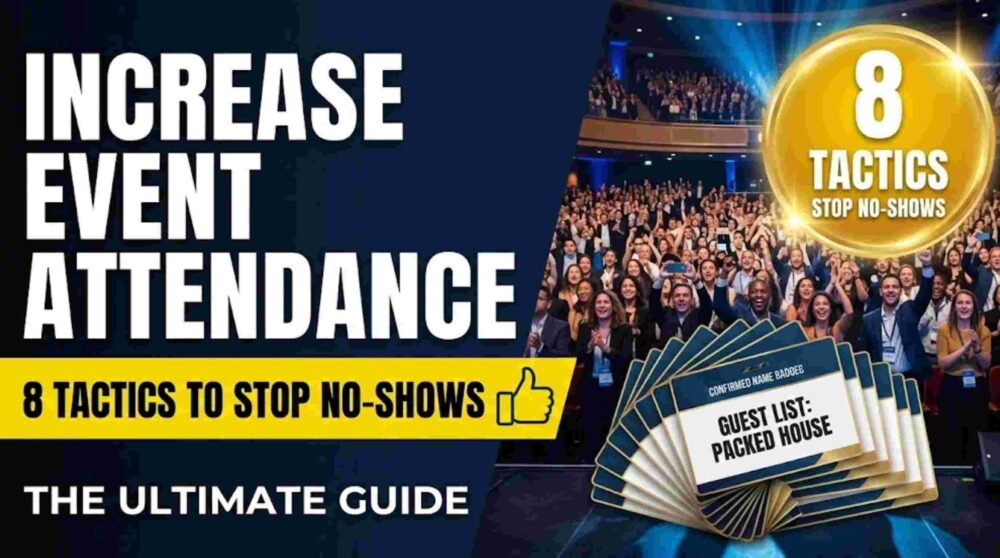
Here are 8 proven, human-centric strategies to boost RSVPs, reduce no-shows, and fill seats.


1. Use a Strategic 3-Stage Follow-Up Sequence

One email is never enough.

Busy professionals don’t ignore invitations because they aren’t interested — they ignore them because they’re distracted. Your job is to follow up without becoming spammy.

Stage 1: The Friendly Nudge (4 days later)

Send only to:

  • People who opened but didn’t RSVP.

Change the subject line. Keep it casual and personal.

Example:
“Hey [Name], just making sure you saw this — we’d love to have you there.”

No pressure. Just visibility.


Stage 2: The Value Add (1 week later)

Don’t beg for the RSVP yet.

Instead, announce something new:

  • A major speaker confirmation
  • A surprise guest
  • An exclusive giveaway
  • A limited-capacity breakout session

Example:
“Big update: [Speaker Name] just confirmed for our keynote.”

At the bottom, remind them that seats are filling up.


Stage 3: The Last Call (72 hours before registration closes)

Now you apply urgency.

Example:
“Final 24 Hours to RSVP for the [Event Name] Gala”

Short. Direct. Clear deadline.

This sequence alone can increase corporate event attendance by 15–30%.


2. Create Real (or Structured) Scarcity

If registration feels open-ended, people delay.

Scarcity drives action.

Ways to implement it:

  • “Only 60 seats available for this executive dinner.”
  • “First 40 registrants receive VIP gift bags.”
  • Create a waitlist once capacity is reached.

When people see “Waitlist Open,” perceived value skyrockets. Even if your event is free, scarcity creates psychological commitment.


3. Stop Relying Only on Email

If your audience isn’t responding to email, change channels.

LinkedIn Direct Messages

A short message works surprisingly well:

“Hey [Name], we’re hosting a private [Event Name] next Thursday. I’d love to personally invite you — can I save you a seat?”

It feels human. Not automated.


Personal Sales Calls

For high-value clients, nothing beats:

“Hey, I want you at my table at this event. Can I lock you in?”

Personal outreach dramatically increases event attendance among decision-makers.


4. Run a Pre-Event Hype Campaign

An RSVP is not a commitment.

In B2B events, a “Yes” often means “Maybe.”

Between registration and event day, send value-driven reminders:

  • A short teaser video
  • “5 Questions to Ask Our Keynote Speaker”
  • Parking instructions with a venue map
  • A behind-the-scenes setup photo

This keeps the event top-of-mind and reduces drop-off.

The goal: build anticipation, not reminders.


5. Remove All Friction

Many no-shows happen the morning of the event.

Why?

Because logistics feel annoying.

Fix that.

For in-person events:

  • Provide exact parking instructions.
  • Include a Google Maps pin.
  • Offer a rideshare code.
  • Share a check-in QR code ahead of time.

For webinars:

  • Send the access link:
    • 1 hour before
    • 15 minutes before
    • At start time

Never make attendees search their inbox while the session begins.

When you remove friction, you increase event attendance.


6. Gamify Attendance

If attendees leave after lunch, incentivize the full day.

Offer:

  • A high-value giveaway (iPad, premium subscription, concert tickets).
  • A prize announced only at the end of the final session.
  • A raffle entry for checking into every breakout session.

People stay when there’s something at stake.


7. Create a Pattern Interrupt with MessageAR

One of the biggest reasons corporate events struggle with attendance is this:

Digital invitations feel disposable.

Standard emails are easy to ignore.

If you’re hosting a high-stakes B2B gala, product launch, or VIP dinner, you need something memorable.

This is where MessageAR becomes powerful.

Instead of sending a flat email, send a sleek card or simple link. When the recipient scans it with their smartphone camera, a personalized video message from your CEO appears floating on their desk — addressing them by name.

The RSVP button appears right next to the message in their physical space.

It’s unexpected. It’s immersive. It’s impossible to ignore.

When a CEO “shows up” on someone’s desk, the invitation feels real. And real invitations get prioritized.

This type of immersive event invitation dramatically increases executive engagement and attendance rates.


8. Use a Commitment Deposit

For high-cost-per-head events:

Implement a refundable deposit.

Example:

  • $50 deposit upon RSVP.
  • Fully refunded at check-in.
  • Forfeited if they no-show (optionally donated to charity).

Even small financial commitment increases attendance behavior significantly.

When people have skin in the game, they show up.


The Bottom Line: How to Increase Event Attendance

There is no magic trick.

Increasing event attendance is about:

  • Relentless (but respectful) follow-up
  • Strategic urgency
  • Removing friction
  • Building anticipation
  • Personal outreach
  • Innovative delivery methods

The invitation is just the beginning.

Attendance is won in the days between the invite and the event.

If you combine strong corporate invitation design (from our original guide) with smart follow-up strategy and immersive engagement tools like MessageAR, you stop chasing RSVPs — and start filling rooms.

Because the event doesn’t start when you send the invite.

It starts when they walk through the door.

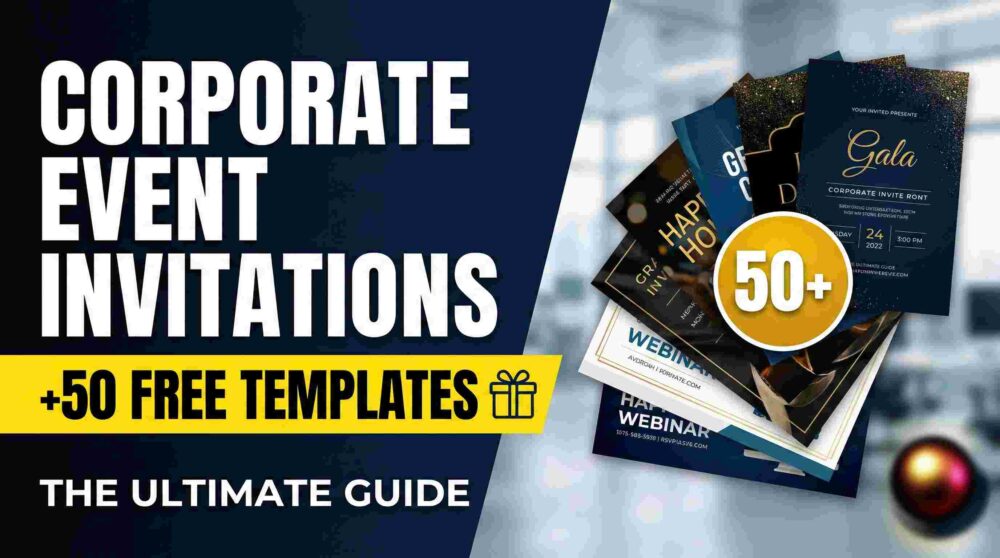
The Complete Guide: How to Create Corporate Event Invitations

How to create corporate event invitations that actually drive RSVPs and fill seats starts with moving beyond a simple announcement to a strategic communication.

Let’s cut right to the chase: nobody wants to attend another boring corporate event, and they definitely don’t want to read a boring invitation.

When you are fighting for space on an executive’s calendar, a standard “You’re Invited” text email is a guaranteed fast track to the trash folder. To get decision-makers, high-value clients, and busy teams to RSVP “Yes,” you have to design an invitation that looks professional, communicates value instantly, and removes every ounce of friction from the reply process.

Here is the definitive blueprint on how to create corporate event invitations from scratch, followed by a massive swipe file of 50 wording templates you can copy, paste, and deploy right now.


Part 1: How to Create Corporate Event Invitations (The Blueprint)

Creating a high-converting invitation is a three-step process: Design, Copy, and Delivery.

Step 1: The Visual Design

Your invitation sets the immediate expectation for the quality of your event. If your invite looks cheap, they will assume the event is cheap.

  • The Rapid Approach: If you need something out the door today, drag-and-drop tools like Canva are perfect for whipping up clean, modern layouts. Stick to your brand’s hex codes and use plenty of negative space.
  • The Custom Approach: For high-stakes galas or massive product launches, building custom typography in Illustrator and editing premium imagery in Photoshop ensures your invite doesn’t look like a recycled internet template.

Step 2: The Copywriting Formula

Every successful B2B invite answers one question: What is in it for me? Do not bury the lead. Your copy must include:

  1. The Hook: A subject line or headline that stops the scroll.
  2. The Value: Why they need to be there (Networking? Free premium food? Industry secrets?).
  3. The Logistics: Date, Time, Exact Location, and Dress Code.
  4. The Call to Action (CTA): A massive, unmissable button to RSVP.

Step 3: The Delivery & The Tech Upgrade

Sending a flat PDF attachment is a relic of the past. To truly stand out and skyrocket your RSVP rates, the delivery needs to be interactive.

Instead of a standard email, top-tier brands are now utilizing personalized, shareable video messaging that appears in the recipient’s real-world space. Imagine sending a sleek physical card or a simple digital link to a VIP client. When they scan it with their phone, a personalized video of your CEO—addressing them by name—appears to be floating right on their office desk. The RSVP button hovers right next to the video in their physical space. It’s a frictionless, impossible-to-ignore micro-experience that makes standard e-vites look entirely obsolete.


Part 2: The Ultimate Swipe File: 50 Corporate Event Templates

Below are 50 copy-and-paste assets for every conceivable B2B scenario. Mix and match the subject lines with the body copy to fit your exact event.

🏢 Category 1: The Formal Corporate Gala & Client Appreciation (5 Templates)

Use these for black-tie events, award ceremonies, and high-net-worth client dinners.

  1. Subject: An Exclusive Evening: The Annual [Company] Gala
    • Body: “We invite you to an evening of exceptional dining and industry celebration. As a valued partner, your presence is requested at our Annual Gala. RSVP by [Date] to secure your seat.”
  2. Subject: You’re Invited: [Company] Client Appreciation Dinner
    • Body: “Your trust drives our success. Please join leadership for an intimate, invite-only dinner at [Venue] as we raise a glass to our continued partnership.”
  3. Subject: VIP Access: The [Year] Industry Excellence Awards
    • Body: “Celebrate the year’s biggest breakthroughs with the minds that made them happen. Reserve your VIP table via the link below.”
  4. Subject: Join Us: A Private Tasting & Networking Event
    • Body: “Step away from the office. Join us for a private wine tasting and networking evening with the region’s top executives.”
  5. Subject: Save the Date: The [Company] 10th Anniversary Charity Ball
    • Body: “A decade of innovation deserves a night of giving back. Save the date for a black-tie evening supporting [Charity Name].”

🚀 Category 2: Product Launches & VIP Demos (5 Templates)

Use these to build hype for a new release.

  1. Subject: Be the First: The Unveiling of [Product Name]
    • Body: “The future of [Industry] is here. Join us for an exclusive first look and live demonstration of [Product Name] before it hits the market.”
  2. Subject: VIP Preview: Experience [Product] Live
    • Body: “We are changing the game, and we want you in the front row. RSVP to experience hands-on demos, cocktails, and a Q&A with our engineering team.”
  3. Subject: It’s Finally Here. Join the Launch Party.
    • Body: “After two years of development, it’s time to celebrate. Drinks, music, and the official reveal of [Product]. You don’t want to miss this.”
  4. Subject: Private Invitation: [Company] Press & Partner Briefing
    • Body: “Get the inside scoop. Join our executive team for a private breakfast briefing on our latest release.”
  5. Subject: Virtual Launch Event: The Next Generation of [Service]
    • Body: “Can’t make it in person? Tune in to our exclusive digital showcase. Register now for the live stream and interactive Q&A.”

🤝 Category 3: Casual Networking & Happy Hours (5 Templates)

Use these for low-pressure, high-value connection events.

  1. Subject: Drinks are on us! [Company] Q3 Mixer
    • Body: “Close the laptop. It’s time for cocktails and conversation with fellow [Industry] leaders. No presentations, just great networking.”
  2. Subject: Coffee, Croissants, and Connections
    • Body: “Start your morning right. Join us for an informal breakfast mixer to discuss the latest market trends with local peers.”
  3. Subject: You’re Invited: The [City] Tech & Marketing Happy Hour
    • Body: “Expand your network. Join the [Company] team on the rooftop of [Venue] for open-bar drinks and appetizers.”
  4. Subject: Post-Conference Drinks with [Company]
    • Body: “Surviving the trade show floor? Come unwind with our team at [Bar Name] just two blocks from the convention center.”
  5. Subject: Meet the Innovators: Local Founder’s Night
    • Body: “Connect with the city’s top founders and operators. Casual dress code, high-level conversations. RSVP below.”

💻 Category 4: Webinars, Workshops & Virtual Training (5 Templates)

Use these to drive registrations for educational content.

  1. Subject: Masterclass: How to Scale Your [Topic] in 2026
    • Body: “Stop guessing and start scaling. Join our 45-minute masterclass where we break down the exact framework we used to achieve [Result].”
  2. Subject: Live Q&A: Navigating the New [Industry] Regulations
    • Body: “Compliance doesn’t have to be complicated. Register for our live expert panel to get your specific questions answered.”
  3. Subject: Workshop Invitation: Build Your [Strategy] in 60 Minutes
    • Body: “Don’t just listen—execute. This is a hands-on workshop. Bring your current [data/campaign] and let’s optimize it live.”
  4. Subject: Certification Training: Master the [Software/Platform]
    • Body: “Upgrade your team’s skills. Secure your spot in our upcoming virtual certification bootcamp.”
  5. Subject: Fireside Chat: [CEO Name] on the Future of [Topic]
    • Body: “Grab a coffee and join us virtually as our CEO sits down with [Guest Name] for an unfiltered conversation on market trends.”

🎄 Category 5: Internal Team & Holiday Parties (10 Templates)

Use these to boost employee morale and team culture.

  1. Subject: The Annual [Company] Holiday Bash!
    • Body: “It’s time to celebrate a massive year. Open bar, great food, and terrible dancing. RSVP with your plus-one by Friday.”
  2. Subject: Town Hall & Team Lunch
    • Body: “Let’s align on Q4 goals. Join leadership for a brief Town Hall, followed by a catered lunch in the main breakroom.”
  3. Subject: Pack your bags! The 2026 Leadership Retreat
    • Body: “We’re heading to [Location] for three days of deep work and team building. Review the itinerary and confirm your dietary needs here.”
  4. Subject: Farewell Happy Hour for [Employee Name]
    • Body: “Come wish [Name] the best on their next adventure! We’ll be grabbing drinks at [Bar] this Thursday at 5 PM.”
  5. Subject: Wellness Wednesday: In-Office Yoga & Smoothies
    • Body: “Take a breather. Join us for a 30-minute guided session to reset your focus for the week.”
  6. Subject: Quarter-End Pizza Party!
    • Body: “We hit our numbers! Lunch is on the company today in the main conference room.”
  7. Subject: RSVP Required: Annual Team Building Day
    • Body: “Get ready for some friendly competition. We are heading to [Activity/Venue]. Please select your t-shirt size when you RSVP.”
  8. Subject: Ugly Sweater Contest & Holiday Potluck
    • Body: “Bring your worst sweater and your best side dish. Sign up for the potluck sheet linked below!”
  9. Subject: Welcome Aboard! Meet our New [Title], [Name]
    • Body: “Stop by the kitchen at 10 AM to grab a donut and officially welcome the newest member of the team.”
  10. Subject: Mandatory Training: [Topic] Update
    • Body: “Please secure your time slot for the updated compliance training via the calendar link.”

⚡ Category 6: 20 Proven Subject Lines Guaranteed to Get Opens (20 Templates)

Copy these directly into your email platform when you are out of ideas.

  1. You are officially invited.
  2. VIP Access: [Event Name]
  3. Let’s talk about [Pain Point] over drinks.
  4. Save the Date: [Date]
  5. Claim your seat: The [Company] Masterclass
  6. We’re throwing a party (and you’re invited).
  7. A private invitation from [CEO Name].
  8. Don’t miss out on [Event Name].
  9. Food, Drinks, and [Industry Topic].
  10. Last chance to RSVP!
  11. Can you make it on [Date]?
  12. You’re on the list.
  13. A special thank you from [Company].
  14. Sneak Peek: What we’re launching next week.
  15. Let’s celebrate a great year.
  16. Requesting your presence at [Venue].
  17. Only 5 spots left for [Event Name].
  18. Your VIP pass is inside.
  19. See you at [Event Name]?
  20. Confirmed: [Speaker Name] is joining us!

Part 3: RSVP Tracking & Management

Once you hit “send,” the real work begins. If you are managing RSVPs manually via an Excel sheet, you are going to lose your mind.

Tracking MethodProsConsBest For
Email RepliesFree, zero setup.Messy, easy to lose headcount, high manual labor.Internal team lunches (< 15 people).
Google FormsFree, auto-populates a spreadsheet.Looks cheap, lacks a premium brand experience.Casual team events, internal training.
Eventbrite / CventAutomated ticketing, built-in reminders, professional.Takes a cut of ticket sales, users must navigate away from your invite.Large public webinars, paid conferences.
Interactive Spatial Video PlatformsFrictionless UX, one-tap RSVP inside the video experience, ultra-modern branding.Requires a platform subscription.High-stakes B2B galas, VIP product launches, Holiday greetings.

The Bottom Line

Figuring out how to create corporate event invitations doesn’t require reinventing the wheel. It requires a clean design, punchy copy that respects the reader’s time, and an innovative delivery method that makes saying “yes” the easiest part of their day.

Bookmark this swipe file, grab the template that fits your next event, and start packing out your venues.

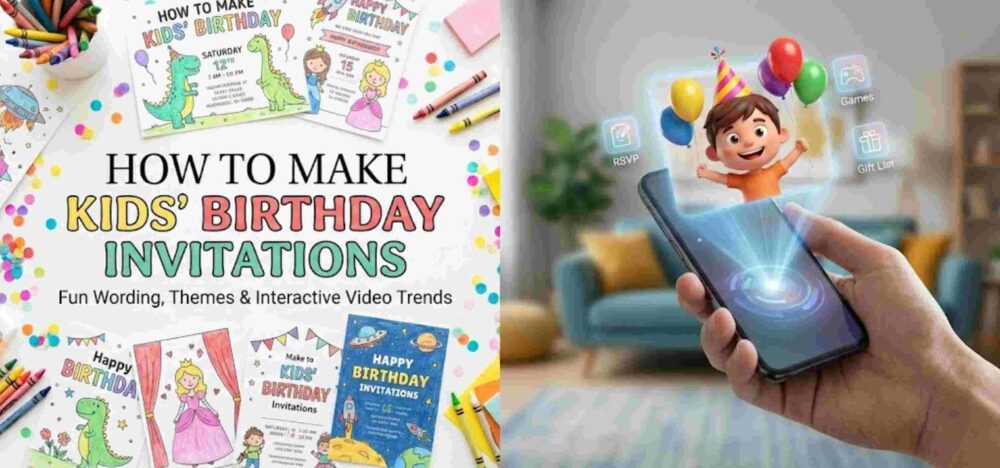
How to Make Kids’ Birthday Invitations: Fun Wording, Themes & Interactive Video Trends

How to make kids’ birthday invitations that actually survive the bottom of a school backpack and get parents to RSVP on time is the ultimate party-planning hack. Planning a kid’s birthday party is essentially controlled chaos… Between ordering the perfect cake, booking the bouncy house, and making sure the goodie bags are stuffed, your to-do list is probably a mile long. But before you can throw the ultimate bash, you need to rally the troops.

Your invitation is the hype machine. It gets the kids excited and gives the parents all the crucial details they need to survive the weekend schedule. However, staring at a blank design canvas trying to be witty while remembering to ask about peanut allergies can be surprisingly stressful.

Whether you are throwing a wild superhero bash at a trampoline park or a cozy first birthday in your backyard, we’ve got your back. We are breaking down everything you need to include, the best ways to design them, and providing a massive list of copy-and-paste wording templates to make crossing this off your list a breeze.

1. The Core Ingredients of a Kid’s Party Invite

When wrangling a dozen toddlers or energetic third-graders, clear communication is your best friend. A kid’s invitation needs to do more than just announce the date; it needs to set boundaries and manage parent expectations.

Make sure your invite answers these essential questions:

  • The Birthday Star: Who is turning what age? (e.g., “Leo is turning 5!”)
  • The Essentials (When & Where): Date, start time, and end time. (Do not skip the end time, or you might have guests lingering until dinner). Include the full address of the venue or your home.
  • The “Drop-off” Rule: Are parents expected to stay and socialize, or is this a drop-and-go situation? Be explicit to avoid awkwardness.
  • Food & Allergies: Mention what will be served (e.g., “Pizza and cake provided!”) and request that parents flag any food allergies when they RSVP.
  • Special Instructions: Do they need grip socks for the trampoline? A swimsuit and towel? Clothes that can get messy?
  • The RSVP: Give a firm deadline and a preferred contact method (usually a text message to mom or dad).

2. Fun & Creative Wording Templates by Age

Ditch the boring standard text. The words you choose should match the energy of the theme. Here are some templates to spark your imagination.

The Milestone 1st Birthday (Sweet & Simple)

Our little wild one is turning ONE!

Join us for a wildly good time as we celebrate Maya’s first birthday.

Saturday, June 12th | 11:00 AM – 1:00 PM

The Patel Residence: 123 Maple Street

We’ll have snacks for the kiddos and plenty of coffee for the grown-ups!

Please RSVP to Sarah at [Phone Number] by June 5th.

The Action-Packed Preschooler Party (Ages 3-5)

Calling all Superheroes!

Suit up and fly on over, because Liam is turning 4!

Grab your cape and get ready for pizza, games, and cake.

Sunday, October 10th

2:00 PM – 4:00 PM

The Adventure Play Park: 456 Jump Way

Parents are welcome to stay and play, or drop off your hero! Please remember to bring grip socks.

RSVP with any food allergies to [Phone Number] by October 1st.

The Cool Tween Bash (Ages 9-12)

Level Up! Ethan is hitting Level 10!

Get ready for an epic afternoon of gaming, laser tag, and unlimited pizza.

Friday, November 20th | 5:30 PM – 8:00 PM

The Galactic Arcade: 789 Pixel Blvd.

This is a drop-off party! Parents, enjoy a free evening.

Text an RSVP to [Phone Number] by November 12th so we can load up the game cards.

3. Bringing the Theme to Life: Best Design Tools

Kids are visual creatures. The moment they see the invitation, they should know exactly what kind of party to expect. Fortunately, you don’t need a degree in graphic design to make something that looks incredible.

  • For the DIY Parent: Canva is the undisputed champion here. It has thousands of free, highly customizable templates for every theme imaginable—from unicorns to monster trucks.
  • For the Crafty Customizer: If you want to cut out your child’s face and superimpose it onto a spaceman’s body, tools like Photoshop or Illustrator will give you that precise, hilarious control.
  • For the Tech-Savvy Creator: If you’re building a video invite, dropping your clips into an editor like DaVinci Resolve lets you add cool sound effects, bright text animations, and really make the video pop before you send it out.

4. The Parent’s Timeline & School Etiquette

Navigating the social politics of a classroom can be tricky. Timing your invites perfectly ensures your child’s best friends can actually make it.

  • When to Send: Aim for 3 to 4 weeks in advance. Any earlier, and parents will forget. Any later, and their weekends will already be booked with soccer games and family trips.
  • The Golden Rule of School Invites: If you are handing out physical invites at school, standard etiquette dictates that you either invite the entire class, all the boys, or all the girls. If you are only inviting a handful of close friends, send the invites digitally to the parents to avoid hurt feelings on the playground.

5. The Next Big Thing: Real-World Video Invites

Paper invitations often end up lost at the bottom of a backpack, and standard text messages easily get buried in group chats. If you want to guarantee that parents remember the party—and absolutely thrill their kids in the process—the trend is shifting toward highly interactive digital formats.

Imagine a parent receiving a secure link on their phone. When they click it and point their camera at their coffee table, a video of the birthday boy or girl magically appears right there in their living room, wearing their party hat and yelling, “Come to my party!”

This magic is made possible by platforms like MessageAR. It’s not just a standard augmented reality filter; it is focused entirely on personalized, shareable video messaging that brings people into the recipient’s real-world space.

Kids lose their minds when they see their friend pop up on their kitchen counter as a lifelike video. It turns a basic RSVP chore into a memorable, interactive experience that gets everyone talking before the party even starts. Plus, it’s completely paperless, eco-friendly, and tracks your RSVPs effortlessly.