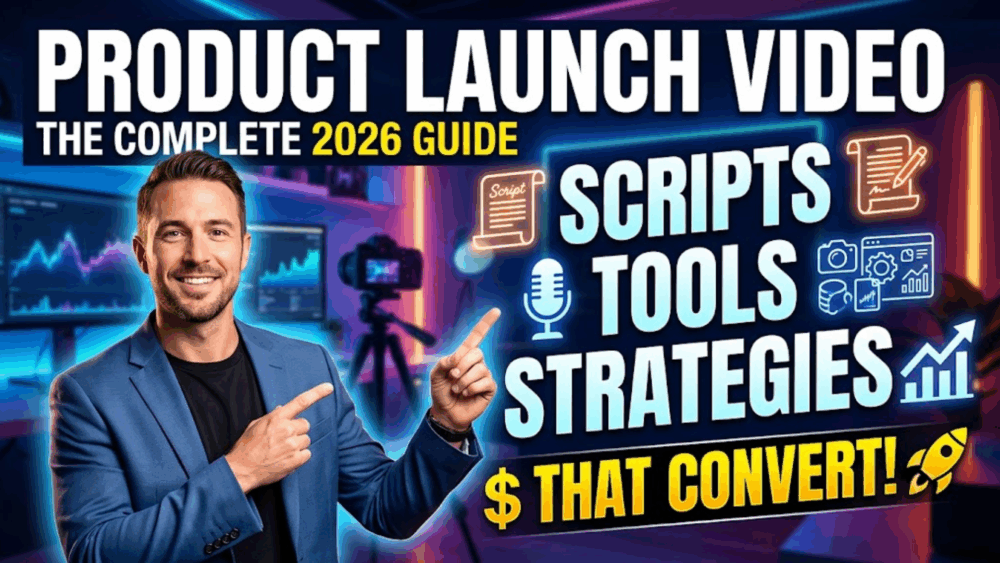
Most “product launch video” guides give you the same five stats from the same two reports and call it a strategy. That’s not what you need if you’re actually launching something next month and have to pick a format, write a script, and get it in front of people by Friday.
This is a working list of 15 product launch video ideas — organized by what stage of a launch they solve, not just “types of video.” Some need a phone and twenty minutes. One or two need a small budget. All of them are things you can actually brief a script for today.
Quick Answer: What’s the Best Product Launch Video Idea?
If you only make one video, make the Hook-Problem-Solution hero video (idea #1) — 60-90 seconds, landing page above the fold. Everything else on this list is either a variant of it for a different channel, or a way to build momentum before and after it goes live.
The Core Launch Video: Ideas #1-5
1. The Hook-Problem-Solution Hero Video
This is the flagship — the one video every other channel points back to. The structure that consistently converts:
- 0-5 sec — Hook: Open in the viewer’s problem, not your logo. “If you’ve ever [specific frustrating situation], this is for you” beats any version of “We’re excited to announce.”
- 5-20 sec — Problem, made specific: Not “managing projects is hard” — closer to “by Tuesday you’re juggling three versions of the same spreadsheet and none of them is current.” Specificity is what makes someone feel seen instead of talked at.
- 20-30 sec — Reveal: Name the product, one plain sentence on what it does and who it’s for. No hedging, no jargon.
- 30-60 sec — One benefit, shown: Not a feature list. One thing the product does, demonstrated on screen.
- Final 10-15 sec — One CTA: “Start your free trial today” beats “learn more” every time — one action, stated plainly.
Script skeleton you can fill in directly:
- [0-5s] “[Specific frustration they recognize]. If you’ve been dealing with [problem], this is for you.”
- [5-20s] “[Specific detail that proves you understand the problem] — and it’s not because you’re doing something wrong, it’s because [root cause].”
- [20-30s] “Introducing [Product]. [One sentence: what it does, who it’s for].”
- [30-60s] “Watch what happens when [user] [does the thing]. That’s [result].”
- [Final] “[Product] is live now. [One action]: [link].”
2. The Teaser (Before the Launch Even Happens)
15-30 seconds, posted 1-3 weeks out. Shows the problem and hints at the solution without revealing it — the goal is curiosity, not disclosure. If it gives away too much, the hero video has nothing left to reveal.
3. The Demo Video (For People Already Interested)
2-5 minutes, aimed at warm leads rather than cold traffic. One real use case, walked through step by step, ending in a specific outcome. One clear scenario beats a seven-feature tour every time — specificity is what makes a viewer picture themselves using it.
4. The Testimonial / Proof Video
60-120 seconds. A real user explaining what changed, in specific terms — “it cut our reporting time in half” lands harder than “I love this product.” This is what answers the unspoken objection: will this actually work for someone like me.
5. The Founder / Behind-the-Scenes Story
2-4 minutes. Useful when trust, not desire, is the barrier — mission-driven brands, DTC, anything where the “why” matters. Lower production polish is fine here; it should feel like a conversation, not a script read.
Ideas That Make the Launch Feel Like an Event: #6-9
6. The AR Reveal Card
Instead of a video that only exists inside a screen, you can link your launch video to a physical trigger — a card, a piece of packaging, a printed invite — so that when someone scans it with their phone, the video plays as if it’s happening in their actual room. We build this workflow into MessageAR specifically because a launch video that appears on someone’s desk, rather than in a feed, tends to get remembered and talked about differently than one more clip scrolling past.
Where this earns its cost: press mailers (a journalist gets dozens of launch emails a day — a physical card that plays your video in their space is a genuine pattern break), key-account outreach for B2B, and beta-user reveals sent before the public date as a “you were here first” moment.
7. The Countdown Sequence
A short series (3-5 clips) posted daily in launch week, each revealing one more piece of the product without giving away the whole thing. Works well on Stories/Reels where repetition doesn’t feel repetitive if the payoff builds.
8. The Unboxing-Triggered Video
For a physical product: a card inside the box that, when scanned, plays a short thank-you or founder welcome. Costs very little to add and turns a one-time purchase moment into something worth posting about.
9. The “Day Zero” Live/Semi-Live Reveal
A short, lower-production video posted the moment the product goes live — less polished than the hero video on purpose, signaling “this just happened” rather than “this was produced weeks ago.”
Ideas for B2B Launches: #10-12
10. The Persona-Specific Hero Cut
Same hero video structure, but the hook references a specific role (“if you’re the ops manager who finds out about outages from customers, not your dashboard”) rather than a generic pain point. Ends on a low-friction CTA — “book a 15-minute demo,” not “buy now.”
11. The Workflow-Improvement Demo
Shows the specific process getting faster or cleaner, not a feature tour. B2B buyers who are internally forwarding this video to a committee need it to make sense to someone who wasn’t in the room when you made it.
12. The Personalized Outreach Video
A short video recorded by a rep — using the prospect’s name and referencing their specific situation — sent 1:1 instead of a cold email. This consistently gets meaningfully higher reply rates than templated text outreach because it’s harder to ignore something addressed to you by name on video. For the full framework on this, see the personalized video prospecting guide.
Ideas for Distribution Days: #13-15
13. The Vertical Social Cut
A 30-60 second vertical re-edit of the hero video for Reels/TikTok/Shorts — not the same file resized, but re-cut for a platform where the first 2 seconds decide whether anyone stays.
14. The Native LinkedIn Post
Uploaded directly to LinkedIn (not linked from YouTube) — native uploads get materially more reach in-feed. Posted from a founder or team member’s personal profile, it typically outperforms the company page by several times over in organic reach.
15. The Retargeting Cut
A 15-30 second clip — usually the testimonial or the single-benefit demo — served to people who visited the landing page but didn’t convert. Shorter, sharper, and aimed at people who already know what you do.
Which Tools Fit Your Budget
| Budget | Camera | Audio | Editing |
|---|---|---|---|
| $0-500 (solo/DIY) | Your phone — modern flagships are good enough | A $25-40 lavalier mic (Boya BY-M1, Rode smartLav) — this matters more than the camera | DaVinci Resolve, CapCut, or iMovie (all free) |
| $500-5,000 (small team) | Sony ZV-E10 or Canon EOS R50 | Rode VideoMicro or Wireless GO II | Premiere Pro or Final Cut; Descript for transcript-based edits |
| $5,000+ (established brand) | Production agency | Professional audio capture as standard | After Effects / Cinema 4D for animated explainers |
Hosting: Wistia or Vidyard if you want engagement heatmaps and drop-off analytics; YouTube if long-term search discoverability matters more than analytics depth.
A Simple Launch-Week Posting Calendar
| When | What goes out |
|---|---|
| 3 weeks before | Teaser (#2), vertical, social only |
| 1 week before | Countdown sequence begins (#7) |
| Launch day AM | Hero video (#1) live on landing page + YouTube |
| Launch day, +1hr | Launch email using a video thumbnail, not an embed |
| Launch day, +2hr | Native LinkedIn post (#14) |
| Day 2 | Vertical social cut (#13) |
| Day 3-5 | Demo video (#3) to warm/engaged leads |
| Week 2 | Testimonial video (#4), once you have one |
| Week 3+ | Retargeting cut (#15) to non-converters |
Mistakes That Quietly Kill a Launch Video
- Opening with your logo. The viewer has no reason to care about your brand in second one — open in their problem instead.
- A feature list dressed up as a demo. Show one thing solving one problem. The right viewer will project the rest themselves.
- One video, every channel. A landing-page hero cut doesn’t work unedited on Reels, in a cold email, or in an investor deck. Cut it per channel.
- A vague CTA. “Learn more” is not an action. Say the one thing you want done.
- Clean visuals, bad audio. Audio is a stronger driver of perceived quality than video resolution — a cheap lav mic outperforms a great camera with a built-in mic.
FAQ
What’s the best product launch video idea if I only have a phone and no budget?
The hero video (#1) shot on a modern smartphone, with a $25-40 lavalier mic and natural window light, is genuinely sufficient — audio and script quality matter more than camera specs.
How long should a product launch video be?
60-90 seconds for the hero video on a landing page. Social cuts under 60 seconds. Demo videos can run 2-5 minutes on a dedicated product page.
What makes a product launch video idea “creative” instead of generic?
Usually the delivery format, not the script. The same Hook-Problem-Solution structure feels different depending on whether it’s a flat video in a feed or something like an AR card that plays in someone’s actual room when they scan it.
Do I need all 15 of these ideas for one launch?
No — most launches need 3-4: a hero video, one teaser, one channel-specific cut, and one follow-up (demo or testimonial). Pick based on where your actual audience already spends time.
Related guides: